
One system for the whole business.
Not another spreadsheet chain.
CoreWave 360 brings finance, sales, inventory, procurement, POS, storefront, CRM, HR, payroll, attendance, approvals and reporting into one connected operating platform for growing organisations.
Trial access runs for 14 days after your evaluation environment is activated.
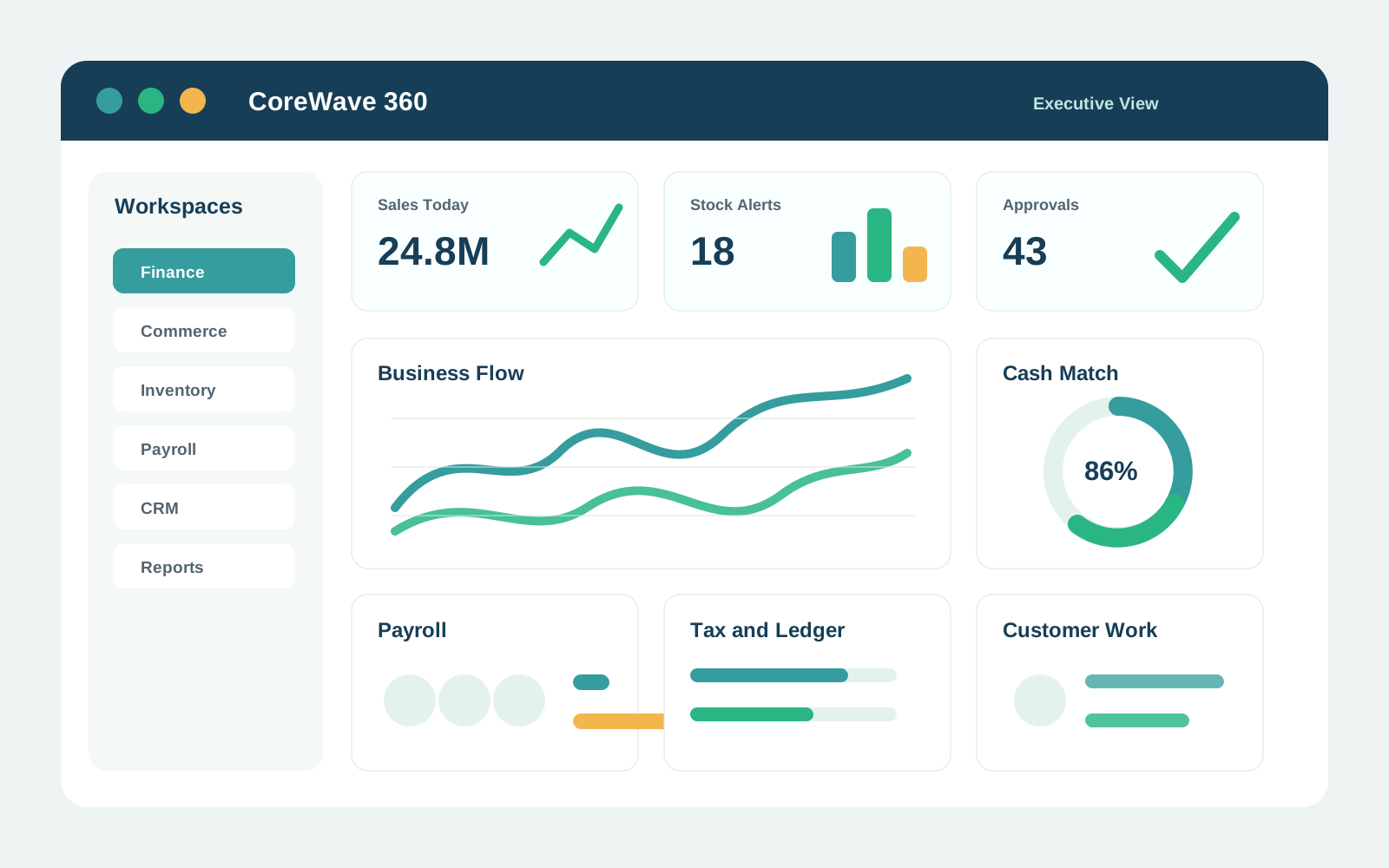
Stop losing the story between
teams and tools.
In many businesses, sales is in one place, stock is somewhere else, approvals happen in chat, finance waits for documents, and management receives the truth too late. CoreWave 360 connects the work so every department can see its part of the same business record.
One action can update the next team
A sale can affect stock, customer history, payment status, tax, accounting reports and management dashboards without each department recreating the same record by hand.
Know what is happening while it is happening
Owners, managers and department heads can review sales, purchases, payroll, approvals, stock, cash movement, staff activity and exceptions from current system data.
Built around the way
a business actually runs.
CoreWave 360 is not only invoices and inventory. It covers the daily work around customers, cash, people, products, controls, reporting and growth. Modules can be rolled out in phases.
Accounting and finance
- General ledger and posting controls
- Chart of accounts and journals
- Invoices, receipts and credit notes
- Bank accounts and reconciliation
- Balance sheet and profit reports
- Tax engine and tax reporting
- Fixed assets and depreciation
- Prepayments, accruals and recognition
- Budgets and fiscal year control
- PDF-ready financial reports
Sales, POS and storefront
- Customers and customer segments
- Quotations, invoices and receipts
- POS terminals and shift sessions
- Online storefront and themes
- Products, variants and options
- Carts, checkout and order tracking
- Pickup and delivery choices
- Public payment and complaint links
- Promotions and customer activity
- Sales and order reports
Inventory, warehouse and procurement
- Products and stock records
- Warehouses, bins and locations
- Stock transfers and adjustments
- Stock counts and movement history
- Reorder levels and stock alerts
- Purchase requisitions and approvals
- Purchase orders and supplier invoices
- Goods received records
- Supplier payments and balances
- Inventory and procurement reports
Payroll, HR and attendance
- Staff records and staff ID numbers
- Roles, permissions and branch scope
- Payroll settings and salary grades
- Manual and automated salary payments
- Payroll funding and balance refresh
- Payslips and payroll reports
- Attendance links with face and location
- Clock-in, clock-out and overtime
- Memos, queries and staff documents
- Onboarding and staff reports
CRM, service and operations
- Leads and sales opportunities
- Tasks and scheduled reminders
- Activity logs for completed work
- Comments and tagged staff
- Customer complaints
- Staff report complaints
- Shareable public forms
- Customer history and follow-up reports
- Projects, milestones and documents
- Team visibility based on access
Management, control and platform
- Executive dashboard
- Report catalogue
- Beautiful PDF exports
- Approval queues and review history
- Audit trail and activity history
- Feature plans and subscriptions
- Institution, branch and staff setup
- Role permission groups
- Email and SMS campaigns
- Integration-ready workflows
One record can travel through
the whole operation.
The platform is strongest when related teams stop working from separate copies of the truth. A customer order, purchase request, payroll run or stock movement can carry its history with it.
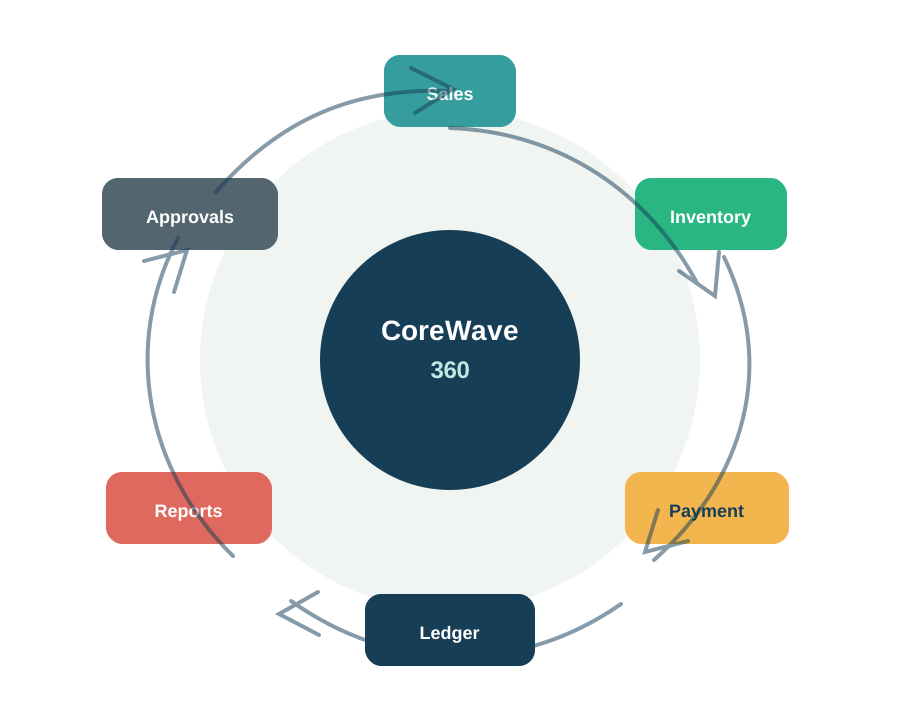
Sell and fulfil
- Create a quote, invoice or POS sale.
- Update customer history and product stock.
- Collect payment, confirm delivery or record pickup.
- Reflect the result in finance and reports.
Buy and receive
- Raise a requisition and route it for approval.
- Create a purchase order for the supplier.
- Receive goods into the correct warehouse or bin.
- Track supplier invoice, payment and inventory value.
Manage staff and payroll
- Keep staff, roles, salary and attendance records together.
- Review clock-in, clock-out, overtime and approval notes.
- Run payroll manually or through configured automation.
- Keep payslips, reports and payment history in one place.
Questions management should answer
without begging for files.
Reports should help owners and managers understand the business, not decorate a dashboard. CoreWave 360 is designed to show what needs attention.
What sold today, and which branch or channel sold it?
Which invoices, orders or supplier bills are still unpaid?
Which products are low, overstocked, damaged or moving slowly?
Which purchase requests, payroll runs or documents need approval?
Who clocked in, who clocked out, and who worked overtime?
Which leads, complaints, tasks or customer issues need follow-up?
Which cash, bank or payment records still need matching?
Who created, changed, approved or deleted an important record?
Configure it around
your real company structure.
Every organisation works differently. CoreWave 360 can be shaped around branches, departments, warehouses, approval limits, roles, reports, subscription features and the teams that should see each record.
Discovery
Review departments, branches, products, services, approvals, reports, existing files and daily pain points.
Setup and migration
Prepare customers, suppliers, staff, products, opening balances, warehouses, documents and starting records.
Controls and permissions
Set roles, access levels, branch scope, approval routes, plan features and who can see or manage each workflow.
Integrations and public channels
Connect approved payment, delivery, email, SMS, storefront, public form or custom workflow requirements.
Training and rollout
Start with the teams that use the system daily, confirm reports, fix process gaps and expand in phases.
Use the trial to test
real work.
The best evaluation is not a tour of buttons. Bring one real process: a sale, a stock movement, a payroll run, a customer complaint or a purchase request. Then see how it moves through the system.
Fourteen days to test the business fit.
Request a trial and tell us which workflow matters most. Pintop will confirm the evaluation scope, access details and activation date.
Use the trial to review
- Whether your priority workflow is properly represented.
- How easy it is for staff to use the system each day.
- How roles, approvals and branch access should be configured.
- Which reports owners and managers need first.
- Which data should be migrated before go-live.
- Which integrations or custom workflow changes are needed.
- How the rollout should be phased across teams or branches.
A strong fit for
serious operators.
CoreWave 360 is best for organisations that need better visibility, cleaner approvals, proper records and less manual chasing between teams.
Retail and distribution
POS, storefront, products, warehouses, sales, pickup, delivery and stock visibility.
Inventory-led businesses
Stock movement, procurement, supplier controls, locations, bins and operational reports.
Service companies
Customers, leads, projects, tasks, documents, invoices, receipts and staff work records.
Multi-branch teams
Branches, warehouses, staff scope, approval rules and consolidated management reporting.
NGOs and programme teams
Projects, budgets, procurement, documents, approvals, reporting and accountability.
Spreadsheet-heavy teams
Move from scattered files to structured workflows, cleaner ownership and searchable records.
CoreWave 360 inside the
Pintop stack.
CoreWave 360 can stand alone or connect with other Pintop solutions and custom delivery work where the client’s operating model requires it.
CoreWave CBA
Connect business operations with supported banking-core workflows where an institution uses both platforms.
MeVerify
Add supported identity checks to customer, staff, partner or risk-sensitive workflows.
Pintop Services
Build specialised integrations, reports, migrations, public portals and custom workflows around the platform.
Common
questions.
Product scope, data migration, integrations, commercial terms and rollout approach are confirmed during discovery and the guided trial.
Can we start with only a few modules?
Can CoreWave 360 support multiple branches and warehouses?
Does it include accounting and reporting?
Can spreadsheet or old system data be migrated?
Can it connect to payment, delivery, SMS or email services?
How is pricing determined?
Bring one real workflow into the 14-day trial.
Choose a process such as sale-to-stock, procurement, payroll, attendance, CRM follow-up or project delivery. Pintop will confirm the trial scope and help you see where CoreWave 360 fits your operation.